Reset Instructions for AT&T All‑Fi Extender 4991
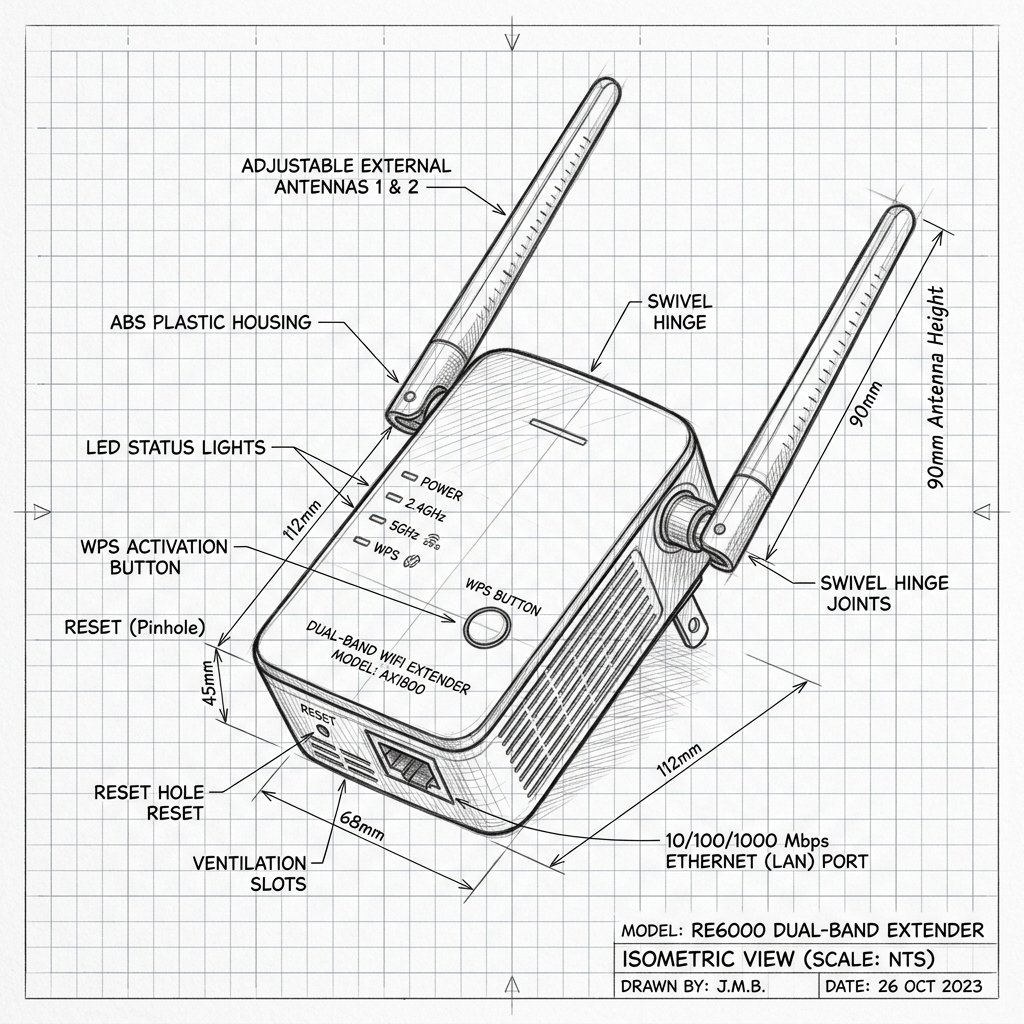 Dual-Antenna Range Extender
Hardware Reset Reference
AirTies AirTies 4991 Reset Location
Locate the dedicated physical Reset pinhole or recessed button shown in the diagram. Use a paperclip or SIM eject tool to press and hold according to the steps below.
Reset Button / Pinhole
LED Blink Confirmation
Soft Reset (Power Cycle)
- Unplug the power cord from the 4991 extender’s electrical outlet.
- Wait about 10–15 seconds.
- Plug the power cord back in and wait for the power jack LED and front LED to return to normal (power LED green, front LED solid white after reconnection).
Factory Reset (Restore Defaults)
- Ensure the extender is powered on and connected to a stable outlet.
- Locate the recessed Reset button on the back of the extender.
- Press and hold the reset button for several seconds (typically 5–10 seconds) until LEDs change state or blink, indicating a reset is in progress.
- Release the button and wait a couple of minutes for the extender to reboot and return to factory default settings.
- Once reset, the 4991 must be set up again from scratch using the Smart Home Manager app or Ethernet pairing to the BGW620.